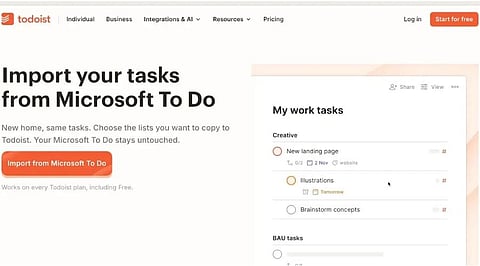


Todoist introduced a dedicated import tool for Microsoft To Do users looking for an alternative to the task management app. The move comes after Microsoft confirmed that it will retire To Do across platforms on June 30, 2027.
The new feature allows users to transfer their existing task lists to Todoist without recreating them manually.
The importer is available on all Todoist subscription plans, including the free tier. It gives users a way to preserve their existing task management workflows while exploring another productivity platform.
Microsoft's retirement announcement created uncertainty among users who depend on To Do for daily planning, reminders, and personal task management. The shutdown will affect the web, Windows, Mac, iOS, and Android versions of the application.
The transition will differ depending on the account type. Microsoft plans to move work and school users towards its redesigned Planner experience, which will begin rolling out in December 2026.
However, personal Microsoft account holders, including Microsoft 365 Personal and Family subscribers, will not receive Planner as a replacement.
Microsoft also confirmed that existing To Do tasks will not automatically migrate to Planner. The company plans to introduce a data export option before the retirement deadline, although the final instructions and supported data formats are still pending.
However, the migration has certain limitations. Reminders and attachments that exceed the destination plan's allowances may not transfer. Recurring tasks with unsupported schedules may become one-time tasks.
Users should also remember that importing the same list again creates duplicate tasks rather than updating an earlier import.
Also Read: Can Microsoft's New AI Models Challenge OpenAI and Anthropic?