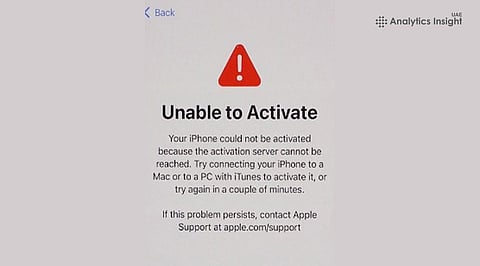


Buying a new iPhone is usually a smooth experience, but some users are finding themselves stuck on the activation screen during setup. The issue often appears as messages such as ‘It may take a few minutes to activate your iPhone ’ or ‘Unable to Activate.’
Usually, this problem is linked to network connectivity, Apple's activation servers, SIM-related issues, or temporary software glitches rather than hardware defects. Experts suggest that, by following some guidelines, you can fix them.
Sometimes the activation process takes more time than anticipated, especially following the launch of the iPhone and server traffic. Users are recommended to wait several minutes before initiating the procedure again, because sometimes the problem resolves itself.
An internet connection is critical for the activation process. If the activation screen doesn’t progress further, it is advised to connect to another Wi-Fi network or turn off the router. While performing the activation process, users are advised to disable all used VPN services.
Quite often, activation issues can be fixed by simply restarting the iPhone. Users may perform a hard restart of their devices and start setting them up once again. This solution has proven to work for many people.
Sometimes activation issues may be related to carrier settings. If a user has a physical SIM in his phone, he is advised to insert it back and make sure that it is installed correctly. If the activation is performed with the help of eSIM, then the user should make sure that the activation process of activation performed by the mobile carrier has been finished.
When none of the above methods work, users can place the iPhone into Recovery Mode and update iOS using a computer. Updating the software is recommended before attempting a full restore, as it preserves existing data wherever possible.
Most iPhone activation issues stem from temporary network, carrier, or server-side disruptions rather than hardware faults. A structured troubleshooting approach resolves most cases, while persistent failures typically require carrier intervention or Apple Support to rule out provisioning or device-related defects.
Also Read: Microsoft Extends Windows 10 Security Updates with New ESU Options